
Source-backed comparisons
How SecurePoint compares.
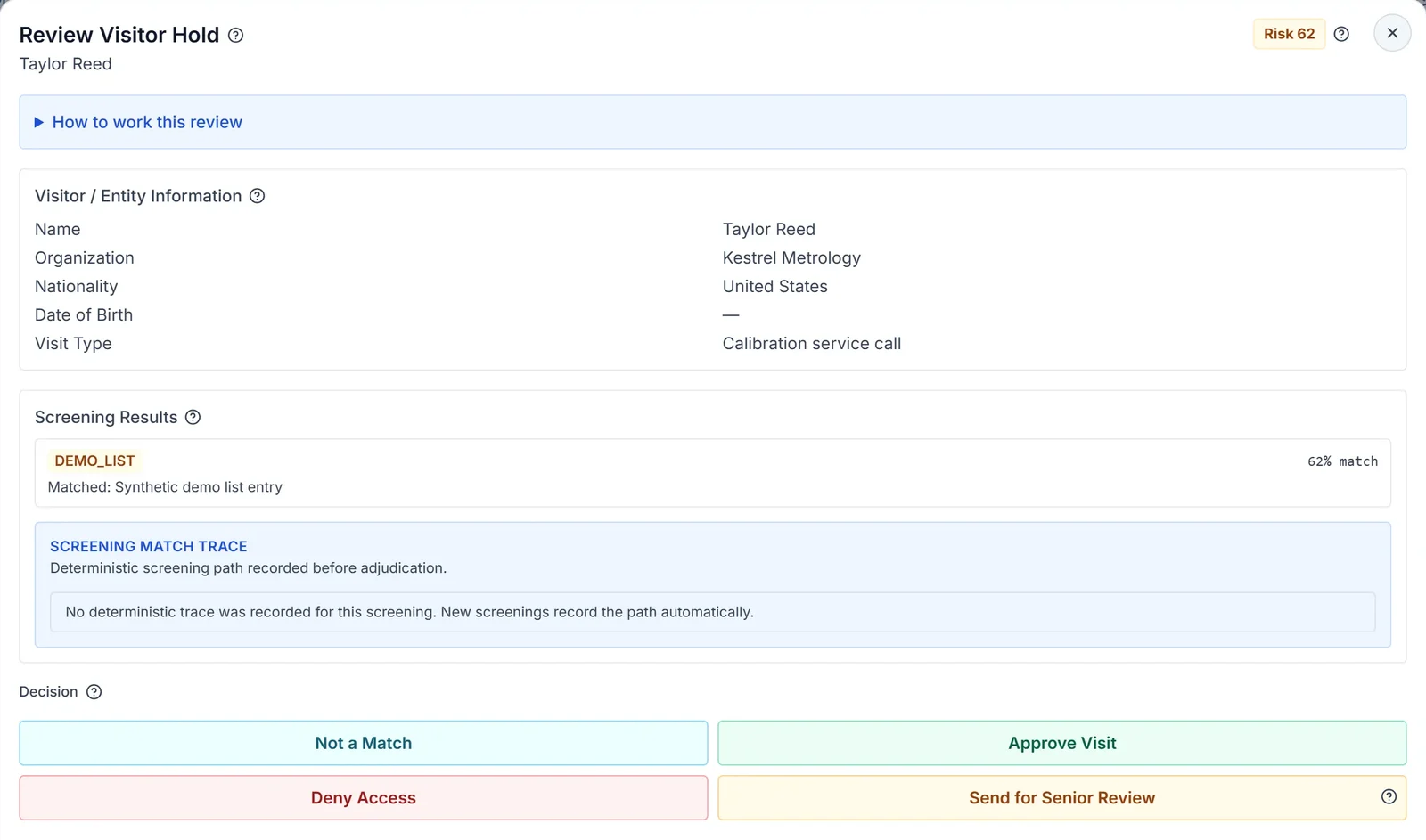
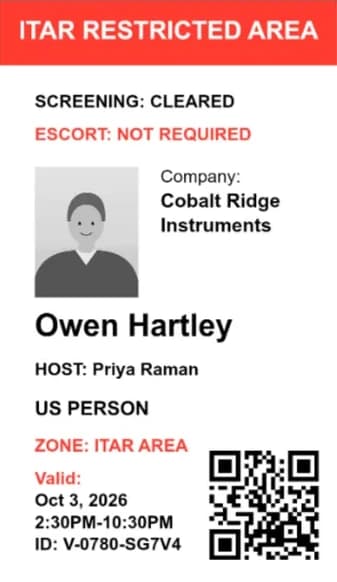
Most visitor systems sign people in. Screening tools check names. SecurePoint does both in the lobby, holds a possible match for a person before the badge prints, and keeps the evidence. Each comparison is dated, sourced, and says where the alternative is stronger.
Pictured: a held possible match and a badge preview from a demo organization with fictional visitors.
Visitor management platforms
Established visitor and workplace sign-in systems. These comparisons focus on where compliance-grade screening, adjudication, and audit evidence differ from broader workplace feature sets.
SecurePoint vs Envoy
Compliance-first screening and adjudication versus a broad enterprise workplace platform.
Read comparisonSecurePoint vs iLobby
Sanctions-screened visitor access compared with iLobby VisitorOS and FacilityOS.
Read comparisonSecurePoint vs Sign In Solutions
For defense and regulated facilities weighing compliance depth against workplace breadth.
Read comparisonSecurePoint vs Proxyclick (Eptura Visitor)
US export-control screening, adjudication, and audit evidence versus broader enterprise worktech.
Read comparisonSecurePoint vs Veristream
Sanctions screening compared with Building Intelligence SV3 secure physical-facility access.
Read comparisonSecurePoint vs LobbyGuard
Sanctions screening versus background-check-oriented visitor management for schools and facilities.
Read comparisonSecurePoint vs FacilityOS
A dedicated compliance VMS compared with a broader facilities management suite.
Read comparisonSecurePoint vs The Receptionist
Compliance-grade screening and adjudication versus a configurable check-in experience.
Read comparisonSecurePoint vs Visitly
Compliance-grade screening and adjudication versus a broad enterprise visitor-security suite.
Read comparisonSecurePoint vs Greetly
Compliance-grade visitor screening versus a customizable office digital receptionist.
Read comparisonSecurePoint vs SwipedOn
Compliance-grade visitor screening versus workplace visitor and employee sign-in.
Read comparisonScreening and trade-compliance tools
Restricted-party and sanctions screening products built for other workflows. These comparisons focus on how screening is applied to physical visitor access.
Manual processes
The approaches most facilities actually replace. These comparisons focus on audit trail, list currency, and scalability.
How these comparisons are written
Comparison tables only include points supportable from SecurePoint's current product capabilities and publicly available materials about the alternative. Every page carries the date its sources were reviewed and includes a neutral section on where the alternative has real advantages. Where a SecurePoint capability is limited or in a controlled pilot, the page says so.
See the adjudication and evidence workflow, not just the lobby screen
The fastest way to understand the difference is to walk through check-in, flagged review, badge output, and after-visit evidence in one demo.