
Process Comparison
SecurePoint vs Spreadsheet Visitor Screening
Tracking visitor screening in a spreadsheet is a common starting point. SecurePoint replaces it with automated real-time screening, tamper-resistant audit records, always-current list versions, and a structured adjudication trail. That is the difference that matters when a compliance assessor asks for proof.
Based on SecurePoint product capabilities and standard compliance-program practice reviewed on 2026-04-04.
Choose SecurePoint if
You need a compliance-grade visitor record that survives an ITAR, CMMC, or OFAC audit, not a spreadsheet that requires manual maintenance and produces no automatic evidence.
Every visitor check-in needs a timestamped, tamper-resistant screening record without relying on staff to fill in a row.
A multi-site operation needs consistent records across locations without manual aggregation before each audit.
Your adjudication decisions on name matches need a documented trail, not a retroactive explanation.
A spreadsheet may be enough if
Your visitor volume is minimal and you can maintain the discipline to document every check consistently.
You have very few visitor events and a single person consistently runs and logs every check.
You are in the earliest stage of a compliance program and software investment is not yet justified.
You understand the audit exposure and have accepted it as a known risk at your current program maturity.
Comparison
Where the approaches actually separate
This table only includes points we can support from SecurePoint's current product capabilities and publicly available materials.
Real-time screening at check-in
Screening runs automatically the moment a visitor name is entered at check-in. Flagged results appear immediately and can block badge issuance before the visitor proceeds.
A spreadsheet does not execute screening logic. Staff must run a separate search, note the result, and manually enforce any hold, all before or alongside check-in.
Tamper-resistant audit trail
Every screening event, match, reviewer decision, and badge output is captured in a durable, timestamped record. Records cannot be accidentally overwritten or deleted by end users.
Spreadsheet rows can be edited, deleted, or overwritten without a change log. Demonstrating an unmodified screening record to an assessor requires additional controls the spreadsheet itself does not provide.
Sanctions list currency
Lists update automatically. Visitors are screened against the current version of each list without staff intervention.
A locally maintained list copy requires someone to download and update the SDN or entity list on a defined cadence. An outdated local copy creates compliance exposure.
False-positive adjudication record
Potential matches route into a review queue. Reviewer actions (including match analysis, resolution, and approver) are documented automatically in the same system of record.
Adjudication notes must be added manually to the spreadsheet by whoever reviewed the match. There is no enforcement mechanism to ensure the note is written or that it captures required detail.
Multi-site consistency
All sites use the same platform, the same list version, and produce records in the same format. Cross-site audit queries run against a single data source.
Each site typically maintains its own spreadsheet. Normalizing records across sites for an audit requires manual aggregation, and format inconsistencies are common.
Cost to operate
Requires a software subscription with defined per-site pricing.
Spreadsheets require no licensing cost. The cost is staff time for manual checks, list maintenance, record aggregation, and audit preparation: ongoing operational overhead that grows with visitor volume.
Neutral Read
Where a spreadsheet has real advantages
Honest about where a spreadsheet is genuinely better, and where the compliance tradeoff tips toward a purpose-built system.
No licensing cost
Excel and Google Sheets are already available in most organizations. For teams with very low visitor volume and limited budget, building an initial tracking log in a tool everyone already uses is a practical starting point.
Fully flexible schema
A spreadsheet can be structured however the team needs. No onboarding, no feature requests, and no implementation timeline to wait on. Teams who need a custom intake form or an unusual data field can build it immediately.
Familiar to all staff
No training budget, no new system login, and no change-management effort. Everyone already knows how to open and edit a shared spreadsheet.
Trust And Proof
What SecurePoint delivers today
The comparison above describes each product from its own public materials. This is ours, running. Anything claimed for SecurePoint on this page is something you can ask to see in a walkthrough.
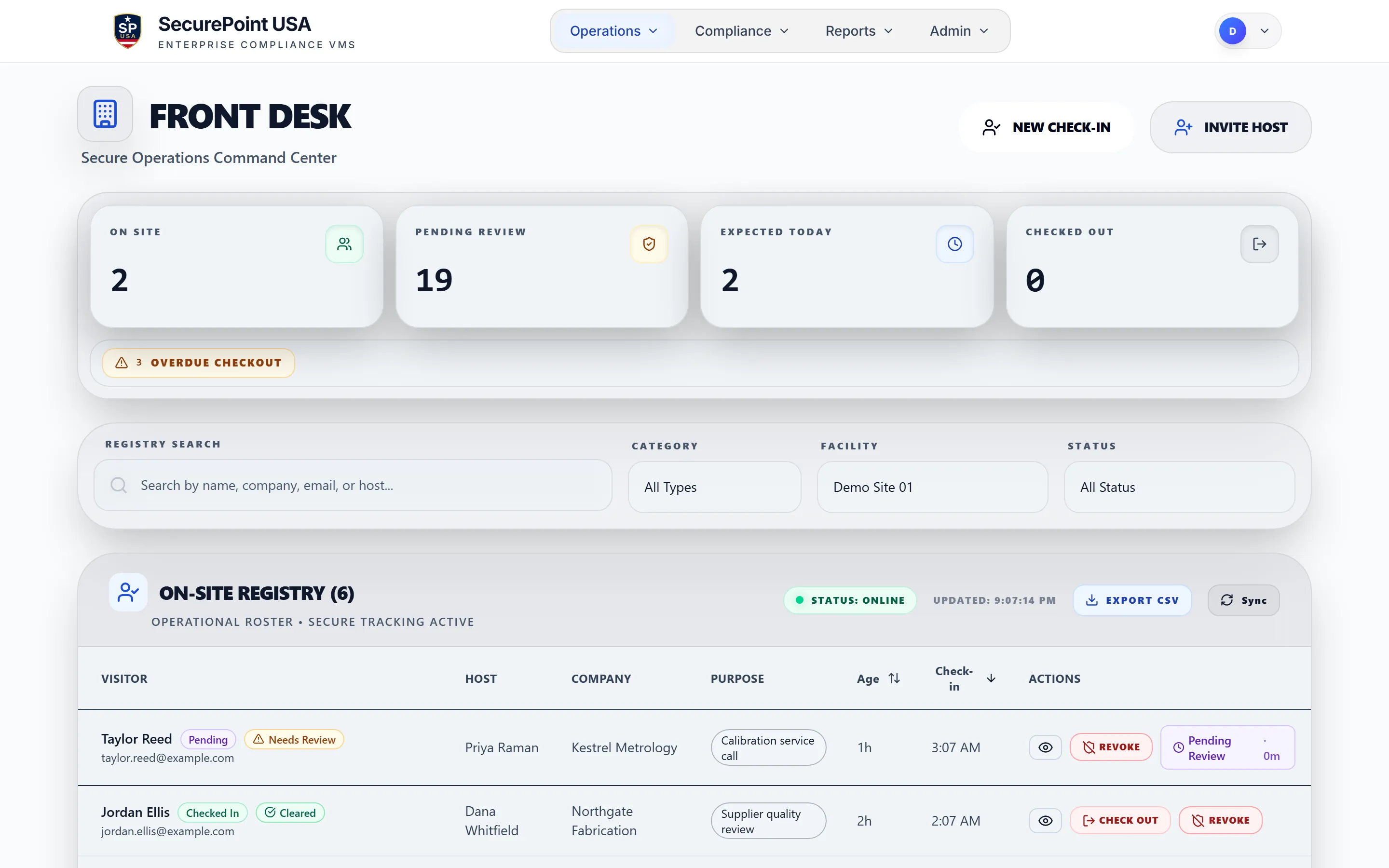
Swipe to pan the screen
Tamper-resistant audit trail
Every screening event, reviewer decision, and badge output is captured automatically in a timestamped record that staff cannot accidentally overwrite.
Always-current list versions
SecurePoint screens against live OFAC, BIS, UN, EU, and UK list versions. No manual download cadence or stale local copy.
After-visit evidence packs
Screening outcomes, adjudication notes, and visitor records export in a single bundle: the audit-ready document that a spreadsheet cannot produce automatically.
Frequently asked questions
What are the main compliance risks of tracking visitor screening in a spreadsheet?
The core risks are: no automatic screening at check-in, rows that can be edited or deleted without a change log, a locally maintained list that may be stale, no structured adjudication record when a name match appears, and no enforcement mechanism to block a visitor before a badge is issued. Each of these gaps is easy to defend in a low-stakes environment but becomes expensive to explain in a CMMC, ITAR, or OFAC audit.
Is a spreadsheet ever good enough for OFAC compliance?
OFAC does not mandate a specific system. A spreadsheet-based process is not automatically non-compliant. The question is whether the organization can demonstrate (with documentary evidence) that every visitor was screened, when, against which list version, who reviewed any match, and what the disposition was. A spreadsheet can theoretically hold that data, but it does not produce it automatically or protect it from modification.
When should an organization move from a spreadsheet to SecurePoint?
Clear migration triggers include: any ITAR or CMMC audit where assessors will ask for screening documentation, visitor volume where manual checks are becoming operationally burdensome, multi-site operations where consistent enforcement is hard to maintain, or any incident (real or near-miss) where a visitor received a badge before a screening check was completed.
Can SecurePoint import historical records from a spreadsheet?
SecurePoint supports structured data import for onboarding. The exact format and migration path should be validated with the implementation team, as historical spreadsheet data typically requires cleanup before it can be used as a compliance-grade audit record.
Keep Comparing
Other alternatives buyers evaluate
Every comparison uses the same neutral format and notes where the alternative is stronger.
SecurePoint vs Manual OFAC checks
Automated visitor screening versus running manual SDN searches: audit trail, list coverage, and scale.
SecurePoint vs Envoy
Compliance-first screening and adjudication versus a broad enterprise workplace platform.
SecurePoint vs iLobby
Sanctions-screened visitor access compared with iLobby VisitorOS and FacilityOS.
SecurePoint vs Sign In Solutions
For defense and regulated facilities weighing compliance depth against workplace breadth.
SecurePoint vs Proxyclick (Eptura Visitor)
US export-control screening, adjudication, and audit evidence versus broader enterprise worktech.
SecurePoint vs Veristream
Sanctions screening compared with Building Intelligence SV3 secure physical-facility access.
See what a compliance-grade visitor record looks like
Walk through automated screening, false-positive adjudication, and evidence-pack export: the workflow a spreadsheet cannot replicate.