
SecurePoint Visitor
Visitor control for ITAR and CMMC facilities.
SecurePoint USA delivers visitor screening software as a service to defense contractors and other ITAR and CMMC facilities. Every visitor is checked against restricted-party lists before a badge prints, foreign nationals are escorted at ITAR sites, and every decision is kept for your auditor.
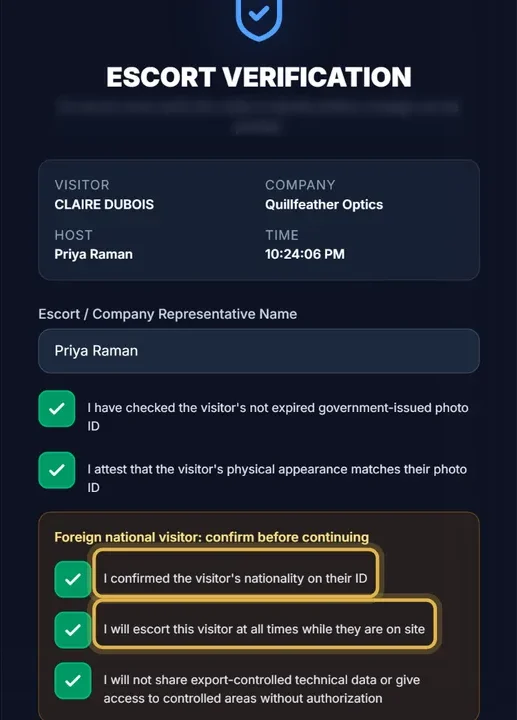
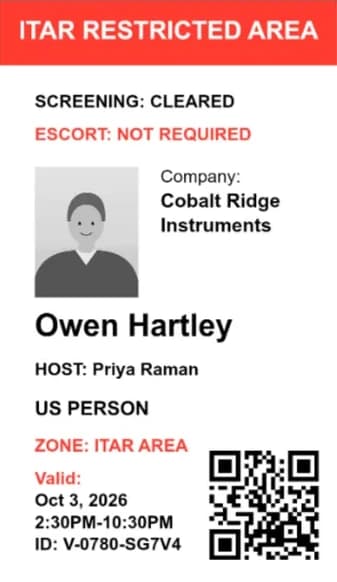
Screening tuition payors for a school? See SecurePoint EducationPictured: the kiosk and a badge preview from a demo organization with fictional visitors.
- Named sanctions and watch lists
- OFAC, BIS, UN, UK, EU, and more. The main lists are named below.
- No badge until the checks clear
- Pending reviews, missing NDAs, and incomplete screening stop the print.
- Append-only audit trail
- SHA-256 chained and checked nightly.
- 10-year decision records
- Screening and review records can't be deleted for 10 years.
- Sign-in controls
- Require MFA, sign in with Microsoft Entra ID, and give auditors a read-only role.
- Hosted in U.S. regions
- The application and its database run in U.S. regions.
SecurePoint Visitor
Watch a visit, start to finish.
A host invites a visitor, the kiosk checks them in, a possible match waits for a reviewer, and the decisions stay on record.
- 1
The host invites, and the visitor is screened
Screening runs against government lists when the visitor registers. Walk-ins are screened at the kiosk.
- 2
The kiosk checks them in
Depending on the site's rules: QR code, ID scan, badge photo, U.S.-person status, and the visitor agreement.
- 3
A person reviews any possible match
The visit is held until a reviewer decides. Who decided, when, and a reason code go on the record.
- 4
The host is told and the badge prints
When the checks clear, the host gets an email or text, and the badge prints at the kiosk or the desk.
Read the transcript
At a defense plant or any regulated site, the front desk should know who is walking in, screen them, and keep a record of every decision.
A host invites their visitor ahead of time. When the visitor fills in their details, SecurePoint screens them against U.S. and international sanctions and restricted-party lists.
Once they're cleared, a QR code arrives by email.
At the lobby kiosk, they scan the code and their ID, take a badge photo, and sign the visitor agreement.
If a name looks like a possible match, the visit is held until a reviewer decides, and their reason goes on the record.
When everything checks out at check-in, the host gets an email that their visitor has arrived, and the front desk prints the badge.
Every check-in, screening result and decision is logged, so when an auditor asks, you can export the evidence.
SecurePoint Visitor. Screen visitors at check-in, and keep the decisions on record.
More than a sign-in app.
At an ITAR or CMMC facility, the checks that matter happen before a badge prints, and every one of them leaves a record.
No badge until the checks clear.
One server-side check stops every badge print and reprint while a screening review is pending or denied, a required NDA, safety briefing, or ID capture is missing, or screening couldn't finish. Only signed-in staff can override a missing item, and they have to write a reason.
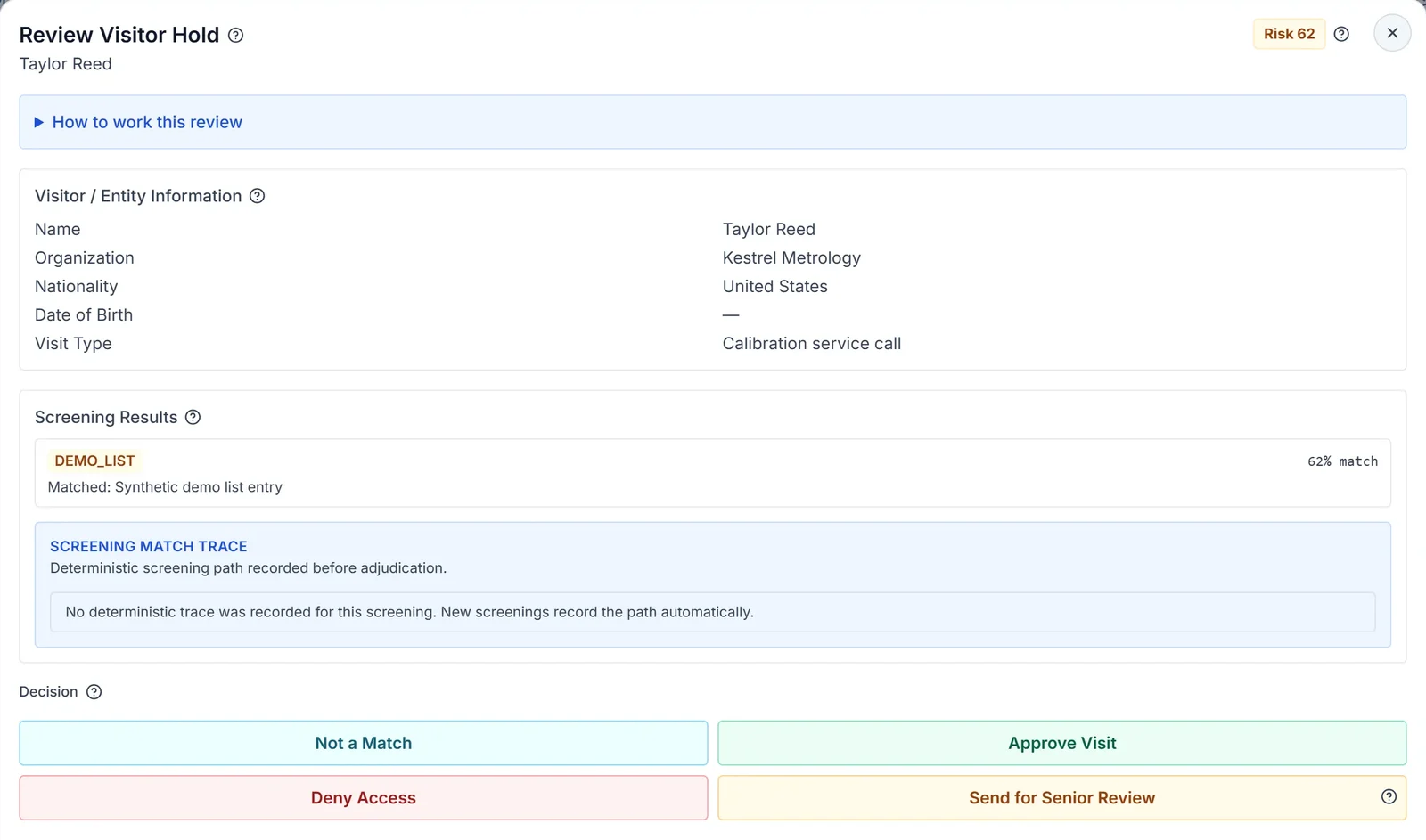
Possible matches go to a review queue with SLA tracking. Clearing a strong match takes a written reason, and the strongest also need a date-of-birth or ID mismatch, or a second reviewer.
Foreign nationals and escorts, enforced.
Visitors attest U.S.-person status at check-in. At an ITAR site, a foreign national needs an escort and host verification, and the desk can't admit them until an escort is assigned. Nationals of ITAR §126.1 countries are held for compliance review.
The ITAR badge template prints the escort requirement and an escort-only zone line.
Evidence your assessor can check.
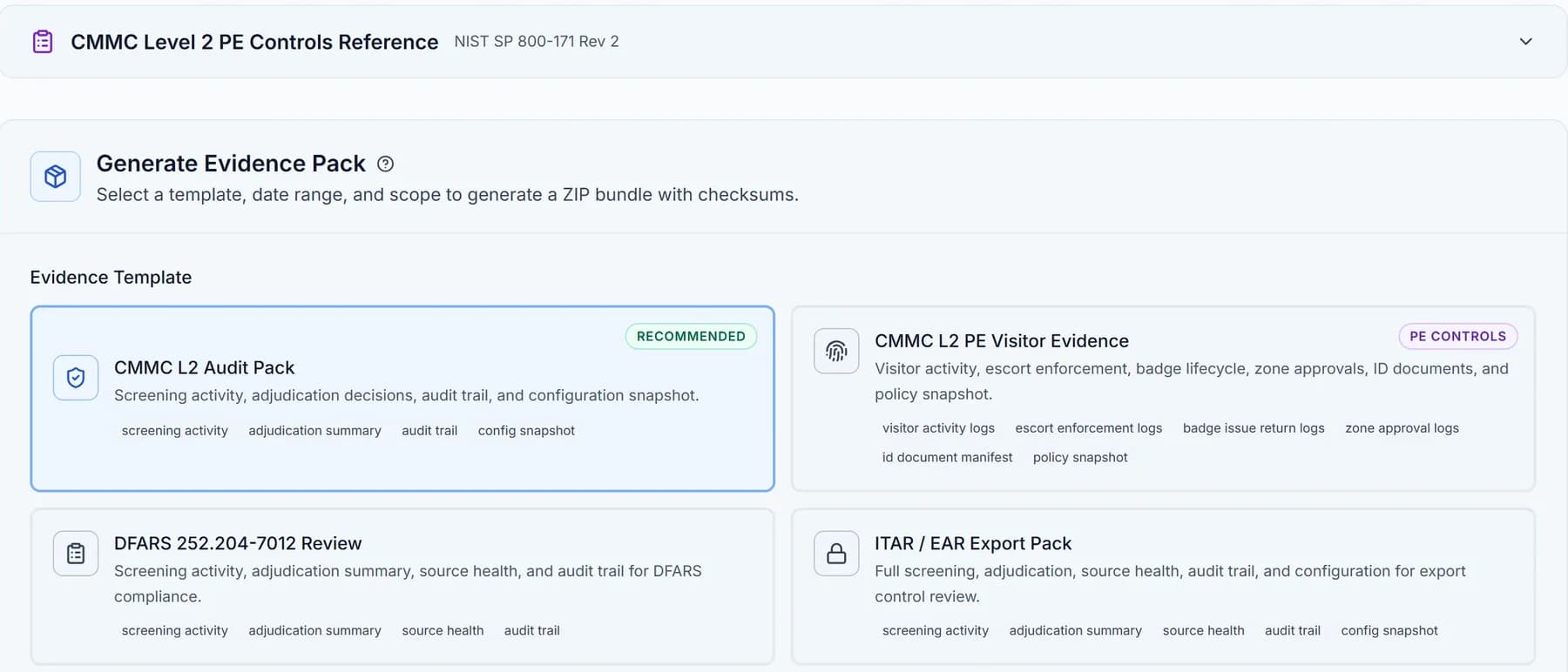
Export evidence packs organized for CMMC Level 2 physical protection, DFARS 252.204-7012, and ITAR/EAR reviews, including a physical access register mapped to NIST SP 800-171 requirements 3.10.3 and 3.10.4.
SecurePoint supports your compliance program. It doesn't certify it, and it doesn't file with any agency on your behalf.
Every visitor is screened against named sanctions and watch lists.
Screening runs when a visitor registers, or at the kiosk for walk-ins. Each list refreshes on its own schedule.
- OFAC Specially Designated Nationals ListU.S. Treasury
- OFAC Sectoral Sanctions Identifications ListU.S. Treasury
- BIS Entity List and Military End-User ListU.S. Commerce
- BIS Denied Persons ListU.S. Commerce
- Section 1260H Chinese military companiesU.S. Defense
- UFLPA Entity ListU.S. Homeland Security
- UN Security Council Consolidated ListUnited Nations
- UK Sanctions ListUK FCDO
- EU financial sanctionsEuropean Union
- French asset-freeze registerFrench Treasury
- World Bank and IADB debarmentsDevelopment banks
- INTERPOL Red Notices and FBI Most WantedLaw enforcement
For security and procurement review.
Each line says whether a control is built into the product, documented, or still planned. No control is independently audited yet. Documents and detail are in the Trust Center.
| Area | Status | What it means |
|---|---|---|
| Sign-in and access | Built in | Microsoft Entra ID single sign-on on every plan, MFA enforced by organization policy, and role-based permissions. |
| Hosting and data | Built in | The application runs on Vercel and the database on Supabase, both in U.S. West regions. Each organization's data is separated by row-level security. |
| Audit trail | Built in | Append-only audit log, SHA-256 hash-chained, with an integrity check every day. |
| Record retention | Built in | Screening and review records can't be deleted for 10 years. |
| Subprocessors | Published | Named list with purposes, including the AI provider that summarizes screened names by default and the one used for opt-in ID text reading. |
| Incident response | Documented | A written runbook with named roles. Breach notification terms are in the DPA. |
| SOC 2 Type II | Not certified | Controls are mapped to the Trust Services Criteria. The Q3 2027 target is not a commitment. |
| Penetration test | Planned | No third-party test has been performed yet. Internal security review is ongoing. |
Runs on hardware you can buy today.
The SecurePoint Kiosk app for iPad and Android tablets is on the App Store and Google Play in the United States. Badges print on the Brother QL-820NWB with DK-2251 labels, which SecurePoint supports, from the kiosk app, a browser, or the PC Print Connector.


Visitor plans are priced per site, with unlimited visitor screenings.
SecurePoint Education for school business offices
Sanctions screening for school business offices.
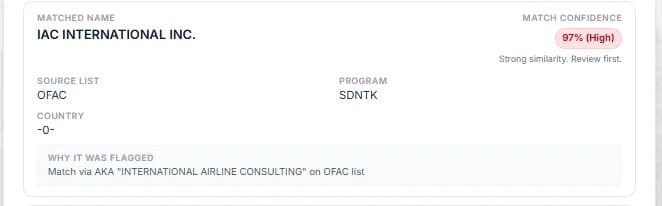
When tuition, a sponsorship, or a gift comes from abroad, check the payor against government sanctions lists and keep a dated record of who reviewed it and why it cleared.
- A payment arrives from abroadTuition, a sponsorship, or a gift.
- The payor is checked against sanctions listsStudents, payors, sponsors, and donors.
- A person reviews any close matchA close match is a question, not a decision.
- A dated record goes on fileWho reviewed it, when, and why it cleared.
- Who sets it up?
- Your business office imports a CSV of students, payors, sponsors, and donors, or adds them one at a time.
- What happens when a name matches?
- A match isn't a decision. Someone in your office compares the details, picks or writes a reason, and the decision is saved with the case.
- Does SecurePoint file anything with OFAC?
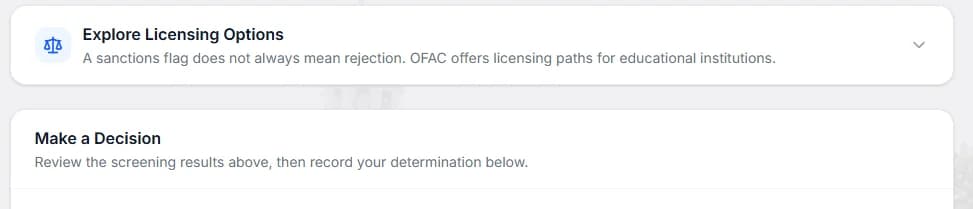
- No. Its licensing assessment shows which OFAC licensing paths may apply. It isn't legal advice.
Already using SecurePoint Education? Sign in
SecurePoint Education
Trusted by independent schools
SecurePoint supports the teams responsible for screening, review, and defensible records.
3 named independent schools across 3 states: Wisconsin, Massachusetts, Michigan. Every mark here is published with written permission.



See it with a visit you run every week.
Bring a sample visit or a sample list. We'll walk through check-in, a held match, and the evidence pack.
Common questions
- What does your AI assist with?
- Name matching uses fuzzy matching, not AI. By default an AI provider named on the Subprocessors page also writes a summary of each screened name for the reviewer. No AI reads a scanned ID unless the organization opts in. People make every decision on a possible match, and decisions and administrative actions are recorded in the audit trail.
- Do you make automated legal decisions?
- No. A visitor is cleared automatically only when screening finds no possible match. Every possible match goes to an authorized person, and AI never makes the decision.
- How do you reduce false positives?
- Matches are scored against a configurable threshold, common names need a stronger match before they are flagged, and a person reviews every possible match.
- Do you support ITAR/EAR?
- Yes, for visitor workflows: U.S.-person attestation at check-in, a required host and escort rules at ITAR sites, holds for nationals of ITAR §126.1 countries, and an ITAR/EAR evidence pack. Screening against the ITAR Debarred List can be enabled for an organization. Licensing decisions stay with your export compliance program.
- Does SecurePoint handle classified visits or connect to DISS?
- No. SecurePoint doesn't connect to DISS, and classified visit requests stay in your existing process. It covers the visitor side at your facility: screening, escort rules, badges, and the visit record.
- Is SecurePoint CMMC certified?
- No. SecurePoint provides visitor management tools that support your compliance program, including evidence packs organized for CMMC Level 2 physical protection. We do not provide certifications or imply government endorsement.
- Where is our data hosted?
- The application and its database are hosted in U.S. regions. AI match summaries, on by default, use a provider listed on our Subprocessors page.