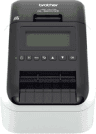
| One-device kioskSecurePoint Supported | Windows 11 on an Intel or AMD x86-64 processor, running the SecurePoint kiosk in the browser. | The same device. It runs the Brother Windows driver and the SecurePoint Print Connector. | The badge prints as soon as the host taps Print Badge, with no print dialog.Requires a supported Brother Windows driver and the SecurePoint Print Connector installed on the kiosk device. Windows ARM and Snapdragon devices cannot do this. |
|---|
| Existing front desk print relaySecurePoint Supported | Any device running the SecurePoint kiosk, such as a tablet, with the print method set to Connector. | An existing Windows x64 front desk PC running the Brother driver and the SecurePoint Print Connector. | The badge prints at the front desk printer as soon as the host taps Print Badge on the kiosk, with no print dialog.The front desk PC must be powered on and the Print Connector running for badges to print. |
|---|
| iPad with the SecurePoint Kiosk appTested by SecurePoint | An iPad running the SecurePoint Kiosk app, with the print method set to Connector. | The iPad itself. The app prints to the printer over the local network, so no computer is needed at the desk. | The badge prints in red and black as soon as the host taps Print Badge, with no print dialog, while the app is open.The printer joins the same network as the iPad by Ethernet or Wi-Fi, and Ethernet is recommended. Guest Wi-Fi and separate VLANs usually block it. Badges print only while the app is open. Each printer pairs with one device. |
|---|
| Android tablet with the SecurePoint Kiosk appTested by SecurePoint | An Android tablet running the SecurePoint Kiosk app, with the print method set to Connector. | The tablet itself. The app prints to the printer over the local network, so no computer is needed at the desk. | The badge prints in red and black as soon as the host taps Print Badge, with no print dialog, while the app is open.The printer joins the same network as the tablet by Ethernet or Wi-Fi, and Ethernet is recommended. Badges print only while the app is open, so open it again after the tablet restarts or updates. Each printer pairs with one device. |
|---|
| Snapdragon / Windows ARM kiosk with relaySupported with a separate print host | A Snapdragon or other ARM-based Windows device, such as a current Surface Pro, running the SecurePoint kiosk in the browser. | A separate Windows x64 computer. The ARM device itself cannot drive the Brother printer. | The badge prints at the Windows x64 print host when the host taps Print Badge, with no print dialog, while the ARM device runs check-in.Brother publishes no Windows-on-ARM driver for the QL series, and the SecurePoint Print Connector is packaged for Windows x64 only. A USB-C adapter or dock does not change this. The limit is the processor architecture, not the port. |
|---|
| iPad or Chromebook kiosk with Windows relaySupported with a separate print host | An iPad or Chromebook running the SecurePoint kiosk in the browser. | A separate Windows x64 computer running the SecurePoint Print Connector. | The badge prints at the Windows x64 print host when the host taps Print Badge, with no print dialog on the iPad or Chromebook.The print host must be on, with the Print Connector running, for badges to print. SecurePoint has verified iPad check-in; Chromebook check-in and Chromebook printing are not verified by SecurePoint. |
|---|
| Android in Chrome, assisted printingAssisted printing | An Android tablet running the SecurePoint kiosk in Chrome, with the Brother Print Service Plugin and the printer paired to the tablet. | The tablet itself, through the Android system print dialog. | After Print Badge, the Android print dialog opens and a person taps Print to release each badge.Every badge needs a person at the tablet to confirm the print dialog, and Brother’s Android plugin prints in black only. Use the SecurePoint Kiosk app or a Windows x64 print host instead if badges must print with no print dialog, or in red and black. |
|---|
| iPad in Safari, assisted printingAssisted printing | An iPad running the SecurePoint kiosk in Safari, on the same network as the printer. | The iPad itself, through AirPrint. | A person taps Print Badge, then chooses the printer and taps Print in the AirPrint sheet, to release each badge.Every badge needs a person at the iPad to confirm the AirPrint sheet, and Brother supports black only over AirPrint. AirPrint finds the printer over the network, so the printer joins the same network as the iPad by Ethernet or Wi-Fi, not Bluetooth. Use the SecurePoint Kiosk app or a Windows x64 print host instead if badges must print with no print dialog, or in red and black. |
|---|


 (opens the store listing in a new tab)